QR
Upload from a phone
Guests scan the QR code and choose photos from their phone. They do not need to install an app.
Show guest photos during your wedding reception. Open the Pixiot slideshow on a screen or projector and let guests add photos from their phones.
The live slideshow runs automatically from your gallery. Plug in a screen, open the slideshow URL, and every new photo guests upload appears within seconds — no manual updates needed.
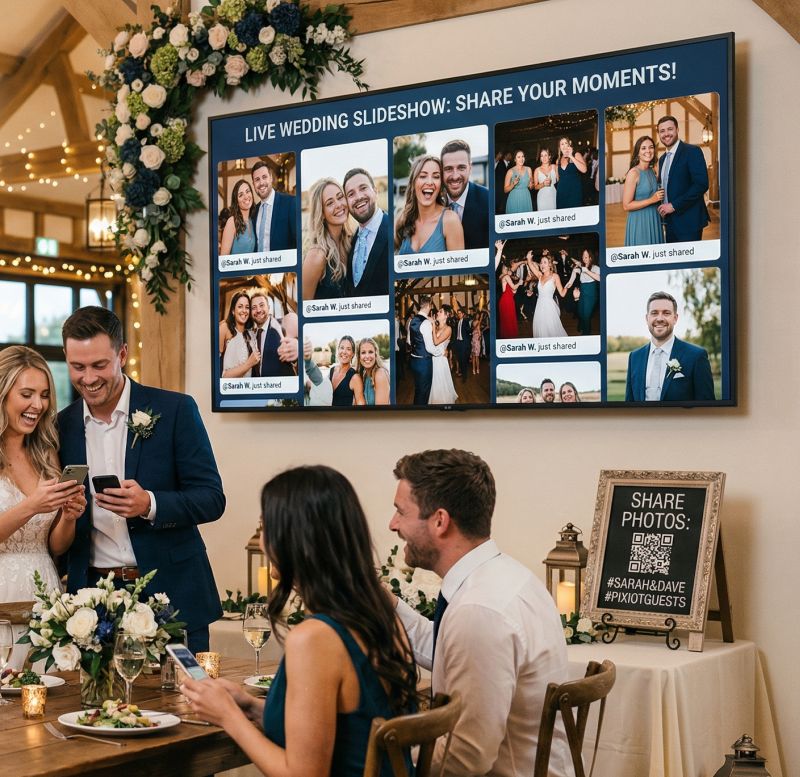
Give guests a place to share the photos they take. A QR code connects their phones to your event gallery.
Guests scan the QR code and choose photos from their phone. They do not need to install an app.
Each guest can add the photos they took, alongside the pictures from your photographer.
Keep the uploads together so you can browse and download them after the event.
Create the gallery before the event, then give guests its upload link or QR code.
Set up a private Pixiot gallery for your event.
Put the gallery QR code on table cards, signs, or a screen at the venue.
Guests upload from their phones. Browse the gallery during the event or download the photos afterwards.
The moment a guest uploads a photo at the bar and then sees it on the big screen ten seconds later is one of those small details that makes a wedding feel alive. Pixiot makes this easy to set up.
Connect your gallery's slideshow URL to a monitor, a TV, or a projector. Every photo that guests upload during the reception feeds directly into it. No manual updates, no switching between slides.
The slideshow works in any modern browser — there is nothing to install on the display device.
Guests look up from their phones, see their photo on the screen, and call their table over to watch. It creates spontaneous shared moments during the reception that would not happen otherwise.
Unlike curated slideshows that play before the ceremony, a live photo wall shows what is happening right now. Guests contribute because they want to see their photo up there.
This is a strong fit for organizers who want more participation, cleaner collection, and less post-event chaos.
The more people involved, the more valuable simplicity becomes.
A central gallery gives you a fuller story of the event.
A live slideshow turns the photo gallery into part of the entertainment, not just a souvenir.
Common questions about Pixiot's live wedding slideshow.
They scan the QR code or open the gallery link on their phone, then follow the upload steps in their browser.
Put it where guests will see it: on table cards, near the entrance, or on a screen at the venue.
No. They can upload through the browser on their phone.
Yes. Photos are collected in your private Pixiot gallery.
Launch a private gallery, make access obvious, and collect stronger memories with a path people will actually use.